.png)
.png)
.png)


7 Side Hustle Apps That You Can Use Earn Money From Home

Updated: Aug 20, 2025
Looking for real ways to make extra money? These 7 side hustle apps could help you earn additional income from home- perfect for bills, savings, or a little fun spending. Many of these I've personally tried, and they’re beginner-friendly, flexible, and proven to pay. Here's how they work, who they're best for, and how much you can realistically earn.
Quick Disclaimer
📌 Disclaimer: Earnings vary based on time, effort, and type of tasks. This video is for informational purposes only and is not financial advice.

OnlineVerdict pays you to act as a mock juror for real legal cases. You'll review details, provide feedback, and get paid for your opinion.
Types of Opportunities:
Online case reviews (30–60 minutes): $30–$60
Virtual mock trials (2–10 hours): $75–$700
In-person mock trials (full day): $200–$700
To sign up, you must be a U.S. citizen and at least 18. Once you’re in their database, they’ll email opportunities, and you’ll need to complete a screener to qualify.
Best for: People with good attention to detail
Pro tip: Check your email daily. Spots fill fast.
2. Clickworker

Clickworker is a global microtask platform where you can earn money doing small tasks like:
Data entry
Surveys
App testing
Image categorization
Short writing assignments
After signing up and completing assessments, you’ll unlock better tasks, especially through their UHRS partner platform, which offers higher-paying gigs.
My experience: I’ve earned over $100/hour doing in-person work through Clickworker, but the remote tasks add up too with volume.
Best for: Flexible schedules
Pro tip: Prioritize UHRS tasks for better pay.
3. Rev

Rev pays you to transcribe, caption, or subtitle audio and video files. Great if you’re a fast typist and enjoy focused work.
What You Need to Know:
Paid by audio minute- not how long it takes you to transcribe
Captioning typically pays more than transcription
You’ll need to pass a grammar quiz and submit a sample
Average monthly earnings: (earnings listed on Rev site)
Transcriptionist/Captioner: ~$240
Subtitler (bilingual): ~$958
Top earners: Up to $1500/month
Best for: Good listeners, introverts, students
Pro tip: Focus on captioning if you're fast and accurate.
4. JustAnswer

Have professional knowledge in law, medicine, tech, finance or a number of other industries? JustAnswer pays you to answer real user questions in your area of expertise.
Categories Include:
Legal, medical, veterinary
Tech support
Homeopathy, wellness, mental health
Car/boat/heavy equipment repair
Appraisals (art, antiques)
You'll need to verify your credentials, but once you're in, you can work on your schedule and accept as many (or few) questions as you like.
Best for: Professionals with specialized knowledge
Pro tip: Be responsive and consistent to boost earnings.
5. Freecash
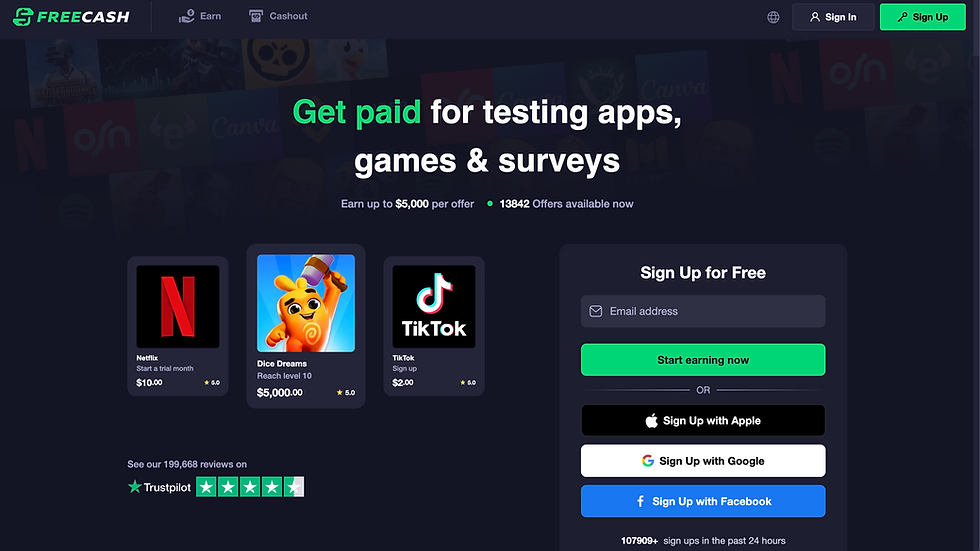
Freecash is a GPT (Get Paid To) app where you can make money by:
Completing surveys
Playing games
Completing trial offers
Gaming tasks can pay $100+ for hitting milestones in mobile/PC games. Surveys are quick and steady too. I’ve earned over $125 with minimal effort.
Best for: People who want casual, low-effort income
Pro tip: Focus on gaming tasks for highest earning potential.
6. EPMS – Ellis Property Management Services
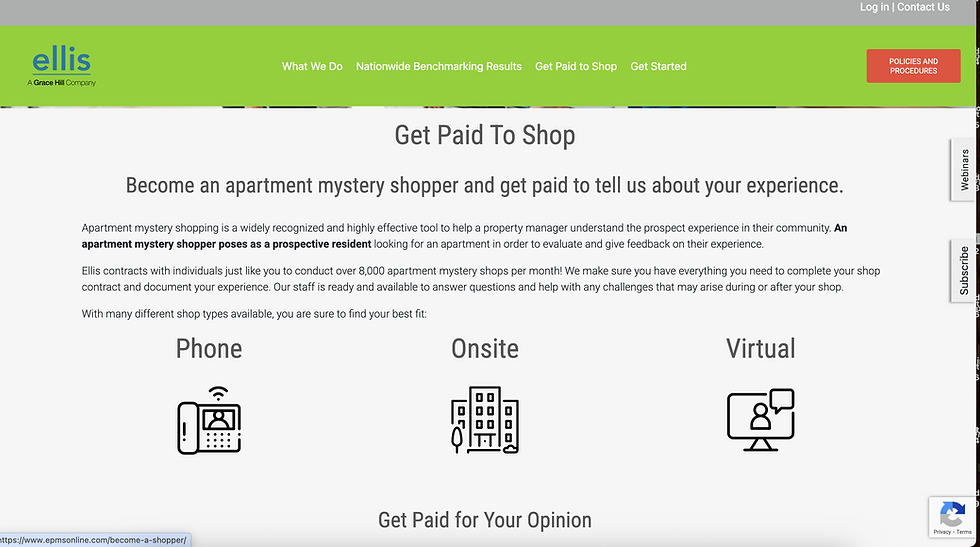
EPMS is a mystery shopping site focused on apartment rentals. You either visit or call properties and then submit a detailed report about your experience.
Formats:
Phone, in-person, or virtual visits
Reports must be completed promptly
Pays monthly
Earnings: $35–$70 per shop. Some power shoppers claim $1000–$1500/month with consistency.
Best for: Organized people who follow instructions
Pro tip: Aim for in-person visits for higher payouts.
7. Dscout / Respondent / Askable/User Interviews

These user research platforms pay for participating in:
Interviews
Focus groups
Product testing
Diary studies
Payouts range from $10–$300+ per session. Sign up, complete your profile, and apply to studies- it's a numbers game, but well worth it.
My experience: I've earned $1000+ in a month stacking these. Expect a 10–15% success rate on screeners, but the payoff is solid.
Best for: People comfortable on camera and honest with feedback
Pro tip: Fill out screeners consistently to boost your match rate.
Final Thoughts
These apps won’t make you rich overnight, but if you’re consistent and strategic, they can add up to something meaningful. Whether you want to pay down debt, save for a trip, or just create more breathing room in your budget, these side hustle apps are worth exploring.
👉 Let me know in the comments- which of these would you try first?
✅ Want more side hustle tips? Subscribe to my newsletter or follow for weekly breakdowns!
Disclaimer
The information provided in this blog post is for general informational purposes only. While I strive to keep the content accurate and up to date, I cannot guarantee that all information is current, complete, or correct. Always do your own research and verify directly with the companies mentioned before signing up. Additionally links above may contain affiliate commissions.
https://thoitiethomnay.org/ninh-binh/hang-gio/ mình mở thử vì đang cần xem thời tiết Ninh Bình theo giờ cho dễ canh lịch đi lại. Giao diện nhìn khá thoáng, kiểu kéo xuống là thấy ngay khối “hiện tại” hiển thị nhiệt độ, tình trạng trời, gió với độ ẩm nên không phải mò nhiều. Mình cũng thích cái phần bảng 24 giờ tới, trình bày theo từng dòng nên liếc phát là biết giờ nào có khả năng mưa để chuẩn bị. Nói chung không màu mè gì, thông tin đặt đúng chỗ nên xem nhanh rất tiện, nhất là cái box “Hiện tại Ninh Bình 29°C…” nằm ngay đầu trang.
https://danhbaionline.info/ có đáng để mở ra đọc thử không? Mình cũng hơi nghi ngờ lúc đầu vì mấy trang kiểu này hay rối, nhưng lướt vài phút thấy ổn hơn mình tưởng; bố cục nhìn thoáng, kéo xuống không bị ngợp, nên dù chỉ đọc lướt vẫn bắt được ý chính khá nhanh. Mình thích nhất đoạn họ giải thích “đánh bài online” theo kiểu dễ hiểu, có nhắc nhẹ tới chuyện bản mới được trau chuốt thêm về mặt công nghệ như đồ họa 3D với âm thanh; đọc không bị lên gân nên cũng hợp để tham khảo. Phần nói về tính hợp pháp ở Việt Nam cũng viết thẳng, không né tránh nên mình thấy tôn trọng…
https://www.tablaligamx.com.mx/tabla-posiciones-liga-mx.html me cayó bien porque entras con la idea de “a ver en qué lugar van” y en dos segundos ya estás viendo más contexto sin clavarte. Lo que más me sirvió es que no se queda solo en la posición: con los puntos y la diferencia de goles ya te das cuenta cuando la tabla está apretadísima y no es tanta la distancia como parece. También se siente pensado para verlo rápido en el cel, sin estar scrolleando mil párrafos; todo está acomodado para que lo entiendas de un vistazo. Y eso de que la info esté en bloques claros ayuda un montón cuando solo quieres checar cómo va la jornada. Las columnas se leen fácil y la tabla…
rút tiền 88vbet là cụm mình thấy lướt qua nhiều nên hôm nay mình vào trang đó xem thử cho biết thôi. Mình không có ngồi soi game hay gì, chỉ xem cách họ trình bày nội dung với mấy mục thông tin chính. Trang cuộn xuống khá mượt trên điện thoại, chuyển giữa các phần gần như liền tay nên đọc không bị đứt quãng. Có vài chỗ họ nhấn mạnh bằng box số liệu nhìn rõ ràng, kiểu đặt nổi lên nên mình lướt nhanh vẫn hiểu đang nói đoạn nào. Mình cũng để ý họ có nhắc chuẩn mã hóa SSL 256-bit ngay trong nội dung, đọc thấy yên tâm hơn chút dù mình chỉ ghé ngang.…
https://hitclubme.live/ là mình có ghé vào xem thử đúng một vòng cho biết thôi, chủ yếu để nhìn cách họ sắp xếp trang chứ không quan tâm lắm nội dung bên trong. Cảm giác đầu tiên là bố cục chia mảng khá rành mạch, mấy khối thông tin được đóng gọn kiểu nhìn lướt là nắm được mình đang ở đâu, kéo xuống cũng dễ vì chữ với khoảng trống canh vừa mắt. Mình để ý cái menu đặt ở chỗ dễ thấy nên chuyển qua lại giữa các mục khá nhanh, không phải bấm tới bấm lui mới tìm ra. Nói chung mình thích kiểu làm đơn giản vậy, đỡ mất công đọc nhiều. Nhìn qua là thấy họ…